
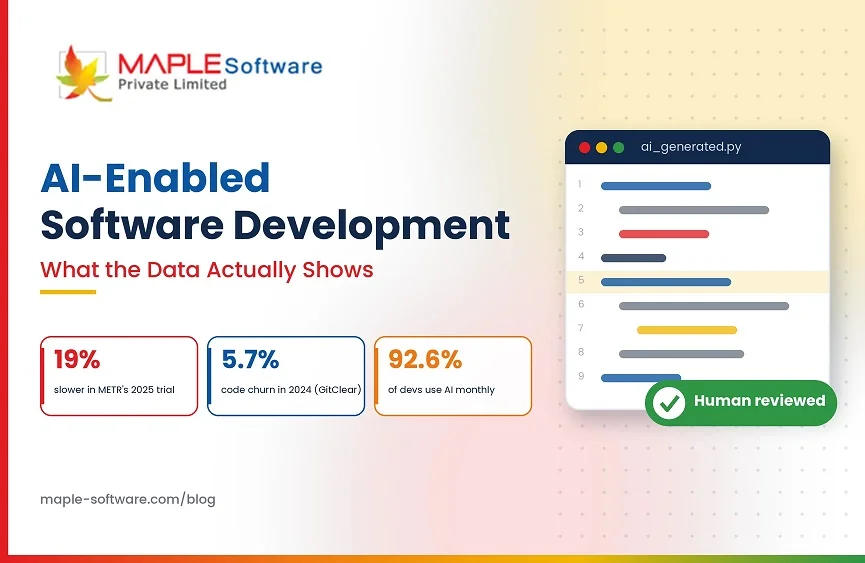
AI-Enabled Software Development: What The Data Actually Shows
Every software company now says it uses AI. The claim has become so universal that it carries almost no information. If you are evaluating a development partner in 2026, “we use AI” tells you roughly as much as “we use computers.”
What is worth knowing is narrower and more useful.
Where does AI genuinely speed up a build?
Where does it quietly create problems that surface three months later?
And what separates the teams getting real value from the teams that just got faster at producing code nobody wants to maintain?
There is now enough independent research to answer that with something better than vendor enthusiasm.
Key Takeaways
- AI speeds up well-defined, verifiable work (boilerplate, tests, docs, migrations) far more than complex work like architecture or debugging unfamiliar systems.
- Controlled studies disagree: METR measured slowdowns in 2025, and its 2026 follow-up could no longer measure the effect reliably.
- Faster coding can mean slower delivery: code churn nearly doubled from 2020 to 2024 (GitClear).
- Teams with strong test coverage, code review, and CI/CD get real gains. Teams without them just produce unverified code faster.
- Ask any vendor who reviews AI-generated code what their test coverage is.
The Productivity Numbers Are Messier Than Anyone Advertises
The most cited study on this comes from METR, a research organisation that ran a controlled trial with experienced open source developers in early 2025. The result surprised almost everyone: developers using AI tools took about 19% longer to complete their tasks.
The more interesting part was what those same developers believed. After finishing slower, they estimated that AI had made them roughly 20% faster. The gap between what happened and what it felt like was close to 40 percentage points.
That study got quoted relentlessly by AI skeptics, and it deserves a fuller reading. METR ran a follow-up with late-2025 tools and published the results in February 2026, and the follow-up turned out to be harder to run than the original.
A growing share of invited developers declined to take part because they did not want to work without AI, which skews the sample toward the developers least dependent on these tools. The new study covered 57 developers, 143 repositories and more than 800 tasks.
For the 10 developers returning from the original study, METR estimated an 18% slowdown, with a confidence interval from 38% slower to 9% faster. For the 47 newly recruited developers, the estimate was a 4% slowdown, with an interval from 15% slower to 9% faster.
METR’s own conclusion is that developers are probably more sped up by AI in early 2026 than they were a year earlier, but that this study design can no longer measure it reliably because so few developers will work without these tools.
Other research points in the same general direction with similar messiness. McKinsey, working with around 4,500 developers, found 46% time savings on routine tasks and under 10% on complex work. Opsera, looking at a dataset of roughly 250,000 developers, found time to pull request improving by as much as 58%, while review time on AI-assisted pull requests ran 4.6 times longer.
Every one of those numbers is defensible. They disagree because they measure different things. Task completion time, pull request cycle time, developer sentiment, and downstream code quality are four separate questions, and a team tracking only the first will look like it is winning regardless of what is happening to the other three.
The Quality Signal Nobody Wants To Talk About
GitClear analysed 211 million changed lines of code from repositories at Google, Microsoft, Meta, and enterprise customers, covering 2020 through 2024. One metric stands out: code churn, defined as code that gets rewritten or deleted within two weeks of being committed, rose from 3.1% to 5.7% over that period.
Churn nearly doubling as AI-assisted coding scaled is not proof of causation. It is a signal worth taking seriously. Alongside it, GitClear found refactoring declining and code duplication rising.
CircleCI’s delivery research points to something similar from a different angle: higher coding velocity showing up alongside less code actually reaching production and more instability once it gets there.
None of this means AI-based software development services make it worse. It means speed at the keyboard is not the same thing as speed to working software, and the two can move in opposite directions.
Where AI Reliably Helps
The pattern across the research is fairly consistent once you stop looking for one headline number. AI assistance produces its largest gains on work that is well defined and repetitive.
Boilerplate and scaffolding. Configuration files, data access layers, API client code, test harness setup. Work where the correct answer is known and typing it out is the only cost.
Test generation. Producing unit test coverage for existing code is one of the clearest wins available, partly because tests are cheap to verify. If a generated test is wrong, it fails, and you find out immediately.
Code review support. Catching a missed null check or an obvious injection risk before a human reviewer spends attention on it.
Documentation and migration work. Translating a legacy module, writing up an API surface, or applying a mechanical refactor across many files.
The common thread is that these tasks have a verifiable correct answer. When correctness is checkable, AI assistance is genuinely useful, and the risk is low.
This also explains why the productivity research disagrees with itself so much. A study measuring developers on well-scoped tasks in a familiar codebase will find large gains. A study measuring experienced engineers solving genuinely hard problems in code they wrote themselves will find something close to zero, or worse. Both are describing real situations. Neither generalises to the other.
Where It Does Not
The gains shrink or reverse on work that requires judgement about things the model cannot see.
Architecture decisions depend on constraints that live in a business, not a codebase. Budget, team capability, regulatory obligations, what the client plans to build next year. A model producing a technically reasonable architecture with no knowledge of any of that is guessing confidently.
Debugging in unfamiliar systems is another weak spot. AI tools are good at proposing plausible causes. They are not good at knowing when a proposed cause is wrong, which means a developer can spend longer chasing a confident wrong answer than they would have spent reading the code.
Domain-specific compliance work is the one we care about most, because it is where our own projects live. HIPAA safeguards, judicial evidence handling, defence sector data requirements. A model can produce code that looks correct and violates a requirement it was never told about. In a regulated build, nobody finds that out through a failing test. They find out in an audit.
What Actually Separates The Teams That Benefit
Reading across all of this, the split is not really about which tools a team uses. It is about what happens after the code is generated.
Teams with genuine test coverage, real code review, and working continuous delivery appear to get meaningful benefits from AI assistance. Teams without those things get faster code production and a larger pile of code they cannot verify. The second group is much larger than the first.
The Opsera finding about review time is worth sitting with here. If pull requests arrive 58% faster but each one takes 4.6 times longer to review, the bottleneck has not disappeared. It moved. A team that celebrates the first number without staffing for the second ends up with a review queue that grows quietly until someone starts approving things they have not properly read.
That framing is more useful than any productivity percentage, because it is actionable. If you cannot tell whether a change broke something, generating changes faster is not an improvement.
At Maple Software, this is the reason our teams treat AI-generated code exactly the way we treat code from a new engineer. It gets reviewed by someone accountable for the outcome. It goes through the same ISO 9001 quality gates as anything else. It does not reach a client environment because a tool produced it and it compiled.
That is what AI-enabled software development means in practice for us. Not a claim that the tooling writes your system. A claim that we use it where it genuinely helps, inside a process that catches it when it is wrong.
Questions Worth Asking Any Development Partner
If a vendor tells you they use AI, these questions separate the ones doing it carefully from the ones saying it because everyone else does.
Who reviews AI-generated code before it ships, and what are they accountable for? A named human with responsibility is the whole answer. Anything vaguer than that is a process gap.
What is your test coverage on AI-assisted work? If they cannot tell you, they cannot tell whether the tool is helping.
How do you handle compliance requirements the model does not know about? Particularly relevant for healthcare, government, and financial work. The correct answer involves human domain knowledge applied deliberately, not a prompt.
Has AI changed your delivery timelines, and by how much on which kinds of tasks? Honest answers here tend to be specific and modest. A partner claiming their whole delivery is twice as fast is either measuring one narrow thing or repeating a marketing line.
What happens when the tool is wrong? Everyone’s tooling produces bad output sometimes. The useful signal is whether they have a process for it or have never thought about it.
Where This Is Heading
Adoption is effectively total. Stack Overflow’s 2025 developer survey found 92.6% of developers using an AI coding assistant at least monthly, and METR abandoned its original study design partly because assembling a control group of developers willing to work without these tools became impractical.
The capability curve is also steep. METR’s Horizon benchmark tracks how long a task a model can complete with 50% reliability, and that figure moved from about 60 minutes for one model generation to roughly 719 minutes for a model released in February 2026.
What has not changed is the part that determines whether any of it produces working software. Someone still has to know what the system is supposed to do, whether the generated code does that, and what happens when it does not. That responsibility has not moved, and the research suggests the teams treating it seriously are the ones seeing the gains everyone else is claiming.
Frequently Asked Questions
Does AI-assisted development reduce project cost?
On routine, well-defined work, often yes. McKinsey’s research found around 46% time savings on routine tasks against under 10% on complex work, so the saving depends heavily on what your project consists of. A build that is mostly standard CRUD functionality benefits more than one that is mostly novel architecture.
Is AI-generated code safe to use in regulated industries?
It can be, with human review by someone who knows the regulatory requirements. The risk is that a model produces code that is technically correct and non-compliant, because it was never told the requirement existed. That gap is closed by domain knowledge, not by better prompting.
Will AI replace software developers?
Not on current evidence. The research consistently shows gains concentrated in routine work and shrinking or reversing on complex work. What has changed is where developer time goes. Less typing, more reviewing.
How can I tell whether a development partner is actually using AI well?
Ask who is accountable for reviewing generated code and what their test coverage looks like. Teams doing this properly answer specifically. Teams using AI as a marketing line answer in generalities.
Does using AI mean lower quality code?
Not automatically, but the industry data gives reason for care. GitClear found code churn rising from 3.1% to 5.7% between 2020 and 2024 alongside falling refactoring rates. The teams avoiding that pattern are the ones with review and testing discipline already in place.